Deliver Social Studies Programs That Are Adoption- Ready

KITABOO helps publishers convert Social Studies content into interactive digital programs, deliver seamlessly across platforms, and update quickly when the world changes.

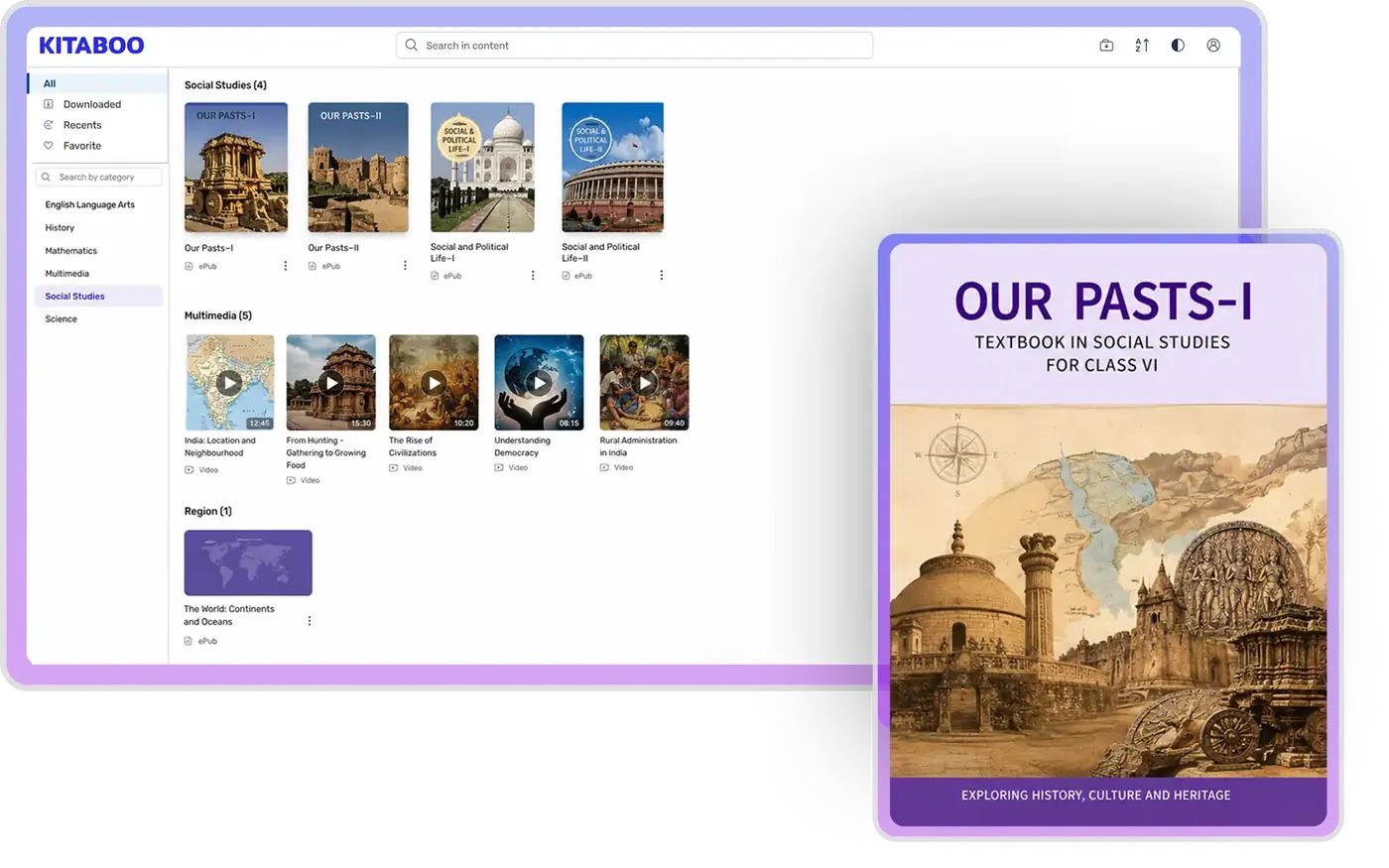
Tablet UI

Where Social Studies Programs Lose Momentum

Social Studies content changes constantly. Most digital platforms weren't built for that reality — and the gaps show up fast during evaluations.

Static PDFs repackaged as "digital programs" — no interactivity, no engagement, no differentiation during evaluations.

Election results changed, policy shifted, economic data updated — but your published program still shows last year's numbers.

Content lives in one system, assessments in another, distribution in a third. Nothing connects cleanly.

Inconsistent navigation and formatting across devices. Evaluators notice when the digital experience feels bolted on.

Accessibility compliance requires rebuilding content — adding alt text, screen reader support, and keyboard navigation after the fact.

Last-minute submission scrambles with no room for iteration. The window closes whether you're ready or not.

What Publishers Actually Do with KITABOO

Not a list of features. A look at how publishing teams use the platform day-to-day.

Turn Social Studies Content into Interactive Digital Experiences

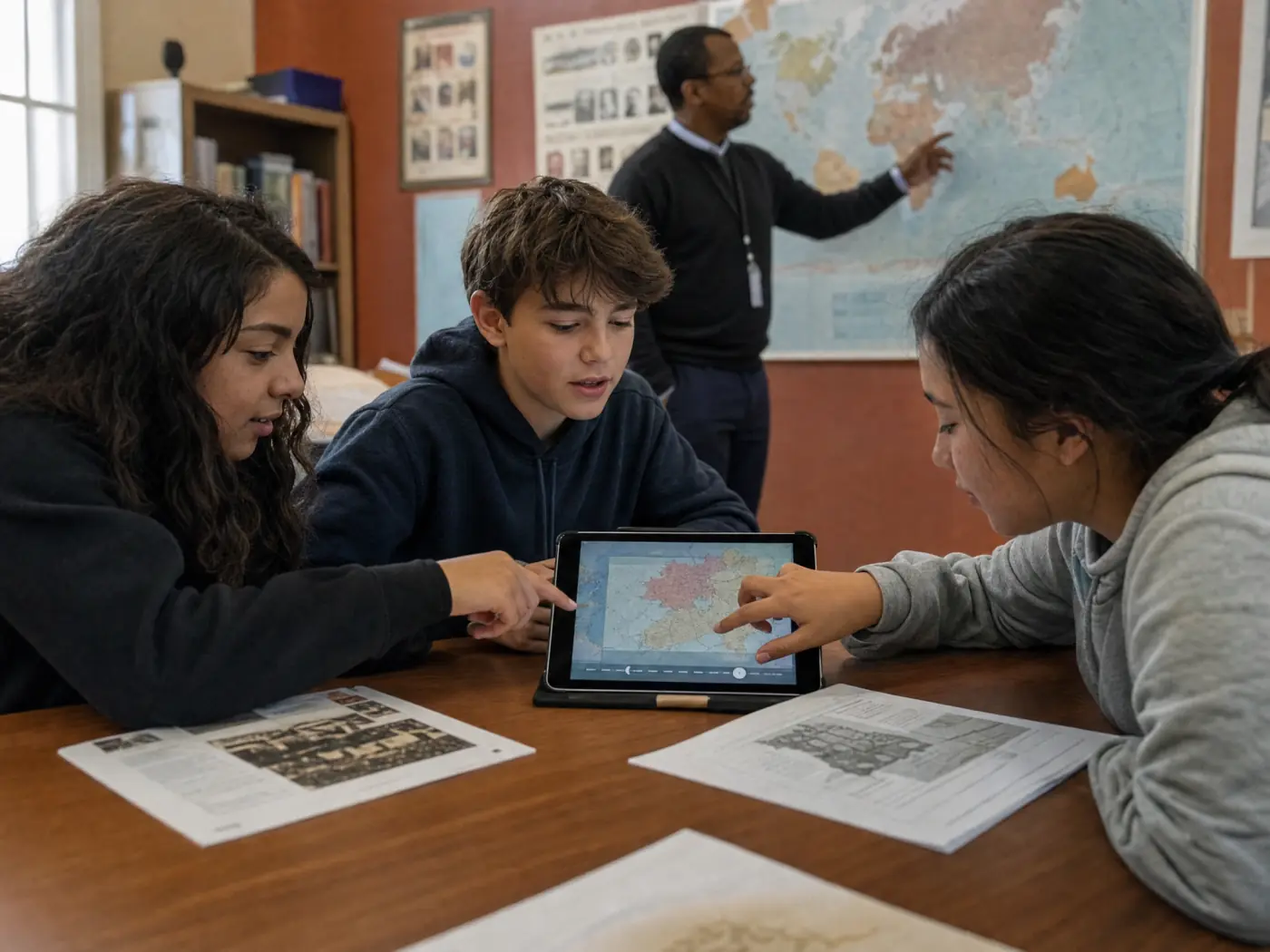
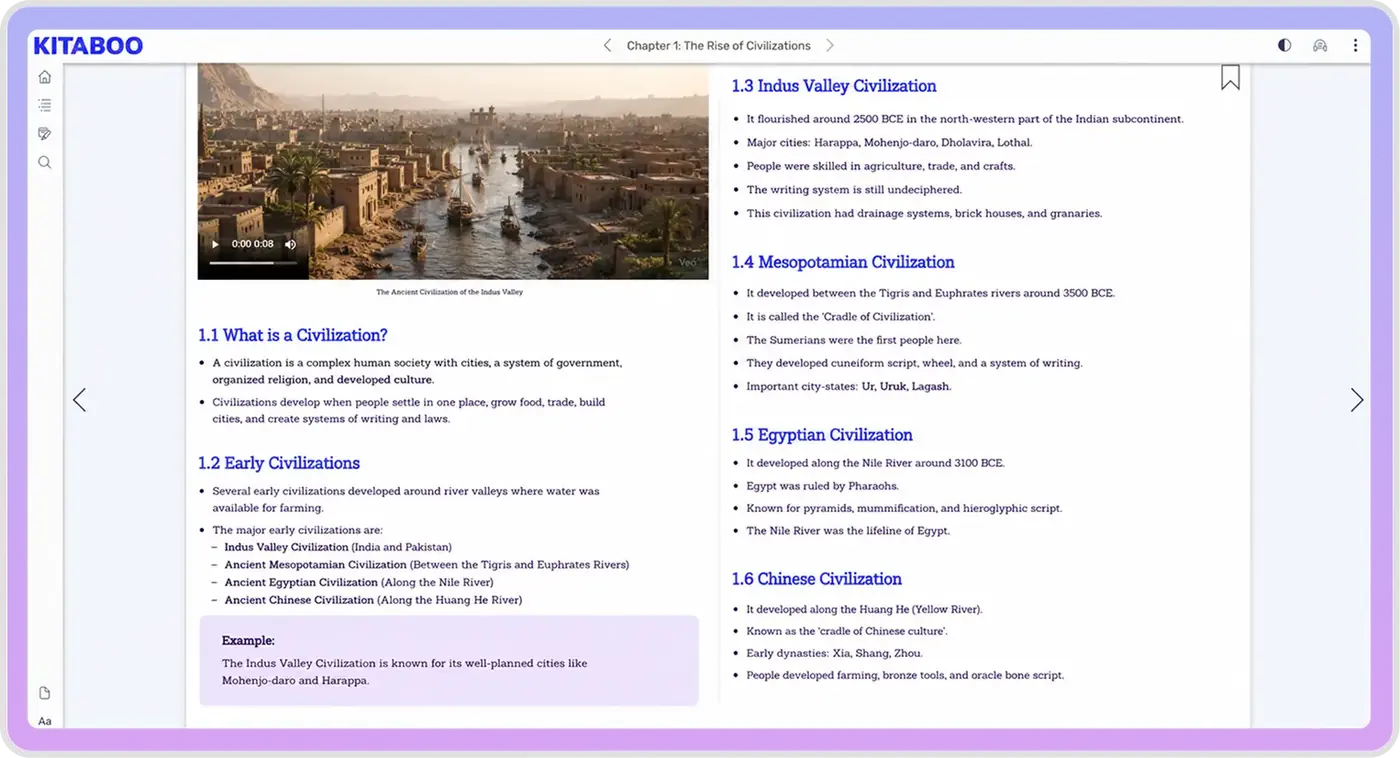
Convert textbooks into structured digital formats with primary sources, interactive maps, videos, timelines, and assessments built in. Maintain layout fidelity and content integrity across History, Geography, Civics, and Economics programs.

Publishers use KITABOO to deliver Social Studies programs with embedded multimedia — maps, timelines, primary sources — that reviewers actually interact with during adoption evaluations.

Read the case study →
KITABOO equation editor with interactive math keyboard

Update Content Without Rebuilding the Program

Election data shifts. Policy changes. Economic indicators move. Population statistics update. With KITABOO, push content updates without reprinting, reformatting, or redistributing entire programs. Keep Social Studies content current — not frozen in time.

"When election results come in or policy changes happen, publishers push updates to live programs — no reprint cycle, no redistribution delay. "

Update Content Without Rebuilding the Program

Deliver Content Anywhere Students Already Are

Integrate with Canvas, Schoology, and other LMS platforms. Support web, mobile, and offline access. Deliver the same quality experience whether a district uses direct web access, an LMS, or a hybrid setup.

"ClassLink and KITABOO are a natural fit — together we deliver secure, reliable content access to millions of K–12 students."

— Patrick Devanney, SVP, ClassLink

KITABOO analytics dashboard

Track How Content Is Actually Used

See time spent, completion rates, engagement patterns, and content usage across your program. Use these insights for editorial decisions, program improvements, and adoption evaluations — not just delivery confirmation.

KITABOO managed a 40x traffic surge during peak global eBook demand without service interruption. 35M+ API calls handled daily.

KITABOO analytics dashboard

Reduce Editorial Work When Deadlines Are Tight

Social Studies programs require extensive supplementary content — practice questions, summaries, learning objectives, flashcards. K.AI generates drafts from your existing content, ready for editorial review and refinement.

01
Select
Choose What to Generate
02
Generate
AI Creates Your Content
03
Review
Edit & Refine Output
04
Publish
Go Live Instantly
Step 01 — Select
Step 01

Choose the type of content you want to generate — MCQs, flashcards, summaries, or learning objectives — directly within your authoring workflow.

Step 02 — Generate
Step 01

K.AI analyzes your source material and instantly generates publish-ready content tailored to your selected format and complexity level.

Step 03 — Review
Step 01

Review the AI-generated output, make edits, adjust difficulty, and fine-tune questions before publishing to your learners.

Step 04 — Publish
Step 01

Publish the finalized content directly to your digital textbook — learners see interactive assessments, flashcards, and more instantly.

Practice Questions

Auto-generate multiple-choice questions aligned to your Social Studies content, ready for review and refinement.

Flashcards & Study Aids

Generate flashcards from page content — civics terms, historical events, geographic concepts — for faster program preparation.

Learning Objectives

AI maps your content to clear, structured learning objectives aligned with your curriculum — saving hours of manual work.

Summaries & Objectives

Produce chapter summaries and learning objectives from existing material — saving hours of manual writing.

Built for How Social Studies Adoption Actually Works

Adoption cycles are predictable. But timelines are tight. When submission windows open, publishers need working digital programs — not experiments.

Faster Digital Readiness

Go from manuscript to interactive digital program in weeks, not months. Meet submission deadlines with room to iterate.

Consistent Across Institutions

Deliver the same quality experience whether a district uses Canvas, Schoology, or direct web access. No surprises during evaluations.

Confident Demonstrations

Show evaluators a polished, fully interactive program — not a prototype. KITABOO supports live walkthroughs that reflect the actual student experience.

Keep Social Studies Content Current Without Reprinting

Unlike most subjects, Social Studies content changes constantly. Digital delivery means faster updates, lower costs, and continuous relevance — without full reprint cycles.

Election Results

New administration, new policy priorities

New Legislation

Laws passed, regulations changed

Economic Data

GDP, unemployment, trade figures

Global Conflicts

Geopolitical shifts and developments

Environmental Data

Climate statistics, policy updates

Population Data

Census updates, demographic shifts

Push updates to live programs without reformatting or redistributing. Students always see current content.

Proven High Scale Platform

25+
Countries
35M+
API Calls Daily
1.5M+
eBooks Delivered
6M+
Happy Users
99.97%
Guaranteed Uptime
7,000+
School Districts

KITABOO handled a 40x traffic surge during peak global eBook demand without downtime.

Deliver Content at District Scale

District-level deployments require secure, controlled distribution infrastructure.

DRM Protection

Content is secured against unauthorized sharing or redistribution. Publishers retain full control over their intellectual property.

User Access Control

Manage who can access what content, down to the individual student level. Control permissions by school, district, or institution.

License Management

Track and manage content licenses across districts. Handle renewals, expirations, and seat allocations from a single dashboard.

Reliable Delivery

99.97% guaranteed uptime. KITABOO handled a 40x traffic surge during peak demand without service interruption.

What the End Experience Looks Like

For Students
  • Clear reading flow with structured navigation.
  • Interactive maps, timelines, and primary sources.
  • Accessible content with adjustable fonts and TTS.
  • Works on any device, including offline access.
For Teachers
  • Simple assignment workflows within their LMS.
  • Reliable performance — no IT troubleshooting.
  • Integrated content delivery across units.
  • No additional logins or software required.
For Administrators
  • Controlled access and deployment visibility.
  • Usage insights across schools and classrooms.
  • Centralized license and distribution management.
  • Compliance and data privacy built in.

Meet Accessibility Requirements Without Rebuilding Content

Accessibility is mandatory — not optional. WCAG, ADA, and Section 508 compliance is built into the platform, not bolted on after the fact.

Text-to-Speech

Built-in TTS for all content types

Adjustable Fonts

Size, spacing, and contrast controls

Screen Reader Support

JAWS/NVDA compatible

Alt Text

Structured image descriptions

Keyboard Navigation

Full keyboard accessibility

WCAG 2.2 Level AA

Section 508 compliant

Enterprise-Grade Integrations & Compliance

KITABOO connects with the platforms institutions already use—no workarounds, no custom builds.

Learning Management Systems

LMS Logo
LMS Logo
LMS Logo
LMS Logo
LMS Logo
LMS Logo
LMS Logo
LMS Logo
LMS Logo
LMS Logo
LMS Logo

Single Sign-On (SS0) And Rostering

Clever Logo Schoology Logo Frame Blackboard Logo

Accessibility

wcag logo Read Speaker Logo

Authoring

Kitaboo Studio Dictera

Math Tools

Accessibility

Interoperability

Amazon Webservices Lti Advanced

Privacy And Security

GDPR logo ISO Coopa Ferpa

Publishers using KITABOO do not build or maintain this integration infrastructure. It is included in the platform.

Explore the KITABOO Ecosystem

Purpose-built solutions for every stage of the publishing and learning lifecycle.