11 Best DRM Solutions for Publishers
Summarize this blog with your favorite AI:
A publisher who searches for the “best DRM solution” usually gets the same result: a ranked list of ten or eleven tools, each with a five-star badge, a generic pros-and-cons box, and a call-to-action to book a demo. The problem isn’t that these lists are wrong. It’s that they treat DRM as one product category, when it’s actually four or five distinct technical approaches that solve different problems for different kinds of content.
A university press distributing PDFs to institutional subscribers has almost nothing in common, technically, with a trade publisher selling EPUBs through Amazon and Kobo. A K-12 curriculum provider licensing classroom seats faces different constraints than a research firm protecting a high-stakes market report from being forwarded to a competitor. Ranking all of them against one “best overall” list obscures the decision that actually matters: which protection model fits your content type, your distribution channels, and how much friction your readers will tolerate.
This guide takes a different approach. Instead of one flat ranking, it groups eleven DRM solutions by the architecture they are built on, explains how each one technically works, and includes real complaints from people who’ve actually used them, not just feature lists. A wrong DRM choice creates a quiet cost most comparison charts don’t mention: legitimate customers who abandon a purchase because activation is a hassle, or a library that can’t lend your title because your DRM doesn’t support loan periods.
TL;DR: the comparison table
| Solution | Content Types | Protection Model | Integration Depth | Best For |
|---|---|---|---|---|
| KITABOO | EPUB, interactive eBooks | Platform DRM, end-to-end publishing pipeline | LMS/LTI integration, branded reader app | Education, training, and association publishers building a full digital pipeline |
| VitalSource Bookshelf | eTextbooks, courseware | Platform DRM, network-level licensing terms | Deep campus LMS and bookstore integration | Higher-ed textbook and courseware publishers |
| MagicBox | eBooks, K–12 curriculum | Platform DRM, classroom licensing model | SCORM, LTI, QTI, Tin Can compliance | K–12 curriculum publishers |
| Adobe Content Server (ADEPT) | EPUB, PDF | Hard DRM, license server | Broad retailer and library support | Publishers relying on existing Adobe-compatible retail and library channels |
| Readium LCP | EPUB, PDF, audiobooks | Hard DRM, passphrase-based, ISO standard | Open-source server and client SDKs | Indie and academic publishers wanting a vendor-neutral standard |
| LockLizard Safeguard | Hard DRM, proprietary secure viewer | Web-based admin, installed viewer for readers | High-value B2B documents and reports | |
| Vitrium Security | Documents, video, audio, images | Hard DRM, browser-based delivery | REST API, 20+ prebuilt integrations, SSO | Publishers needing one DRM layer across mixed formats and existing business systems |
| Social DRM / Watermarking | EPUB, PDF | Soft DRM, identifying watermark, no encryption | Minimal, works in any standard reader | Direct-to-consumer sellers prioritizing low reader friction |
| Apple FairPlay | EPUB (Apple Books) | Hard DRM, channel-locked | Fixed by Apple, no publisher configuration | Not chosen; inherited via Apple Books distribution |
| Amazon Kindle DRM | Kindle formats | Hard DRM, channel-locked, now optional per title | Fixed by Amazon, per-title DRM toggle since Jan 2026 | Not chosen; inherited via Kindle distribution, now partially configurable |
| Intertrust ExpressPlay (Marlin + Multi-DRM) | Video, multimedia | Hard DRM, multi-standard video protection | Cloud key management API, offline SDKs | Publishers with meaningful video or multimedia content |
What are the 4 kinds of DRM to take into account for evaluation
Before evaluating vendors, it helps to define the 4 protection models that get lumped together under the single label “DRM.” They’re not interchangeable, and the tradeoffs are structural, not cosmetic.
Hard DRM: encryption plus a license check
Hard DRM encrypts the file itself. A reading app or device must contact a license server, authenticate the user or device, and receive a decryption key before the content can be opened. This is what most people picture when they hear “DRM.” Adobe’s ADEPT system and Apple’s FairPlay are the two most common implementations in publishing. The security is real, but so is the setup cost: readers typically need an account with the DRM provider (separate from your storefront), an authorized app, and a device limit.
Soft or social DRM: a watermark, not a lock
Social DRM stamps a file with identifying information (the buyer’s name, email, or a transaction ID) without encrypting anything. The file opens in any standard EPUB or PDF reader with zero friction. If a copy surfaces on a piracy site, the publisher can trace it back to the original purchaser. It doesn’t stop a determined pirate, who can strip the metadata with moderate technical effort, but it changes the psychology of casual sharing.
Platform DRM: protection built into the delivery system
Several vendors don’t sell DRM as a standalone product. They sell a publishing or distribution platform (an authoring tool, a hosted reader, a courseware delivery system) with DRM built into how content is served. You don’t encrypt a file and hand it to a separate license server; the platform controls access at the point of delivery, usually through a web-based viewer rather than a downloadable file. This trades some flexibility for a much shorter implementation timeline.
Multi-DRM: one API for video’s competing standards
Publishers who ship enhanced eBooks, training video, or supplementary multimedia alongside text run into a separate problem: video DRM standards (Widevine, FairPlay Streaming, PlayReady) are controlled by different companies and required by different device ecosystems. A multi-DRM service wraps all three, sometimes alongside the open Marlin standard, behind one API, so a publisher doesn’t have to integrate each system separately.
Keeping these four categories distinct matters because a publisher’s real question is rarely “which DRM is strongest.” It’s “which model fits how I sell, license, and deliver this specific content.” A research firm selling $500 PDF reports and a self-published novelist selling EPUBs through their own site are answering completely different versions of that question, even though both might type “best DRM for publishers” into a search bar.
What are the 5 questions to answer before you compare tools
Before looking at individual tools, it’s worth mapping your own situation against a few variables that do most of the work in narrowing eleven options down to two or three.
- Content format: EPUB and PDF have different DRM ecosystems. A tool built for PDF document protection is not the same thing as an EPUB retail DRM, even though both get called “eBook DRM” in marketing copy.
- Distribution channel: If you’re selling through Amazon or Apple Books, the retailer’s DRM is often not optional; it’s a condition of that channel. Your real decision is whether to also offer a DRM-free or social-DRM option through direct sales.
- Business model: Library lending and subscription access require a DRM that supports loan periods and revocation. A one-time retail sale doesn’t.
- Reader risk tolerance: Academic and B2B audiences generally tolerate more friction (device authorization, institutional login) than trade or consumer audiences, who will simply abandon a purchase that feels complicated.
- Content value concentration: A single $3,000 market research report needs heavier protection than a backlist of $4.99 eBooks, where volume and reach matter more than any single copy.
With that framework in place, here’s how 11 real DRM solutions map onto it.
What are the 11 grouped DRM solutions and how they actually protect content
Platforms that bundle DRM into the whole publishing pipeline
These three don’t sell DRM as a component you bolt onto an existing workflow. They sell a full publishing and distribution platform where DRM is one feature among many, which is a meaningfully different buying decision.
1. KITABOO
KITABOO is a cloud-based platform that handles content creation, conversion, multi-device distribution, and DRM enforcement as a single pipeline rather than separate steps. Content is encrypted and served through access codes, with a white-label reader app publishers can brand as their own, offline reading support, and LMS integration through LTI compliance. Its customer base skews toward K-12 curriculum providers, aviation and corporate training content, and associations distributing member content, where the value is less about maximum encryption strength and more about not having to stitch together separate authoring, hosting, and rights-management tools.
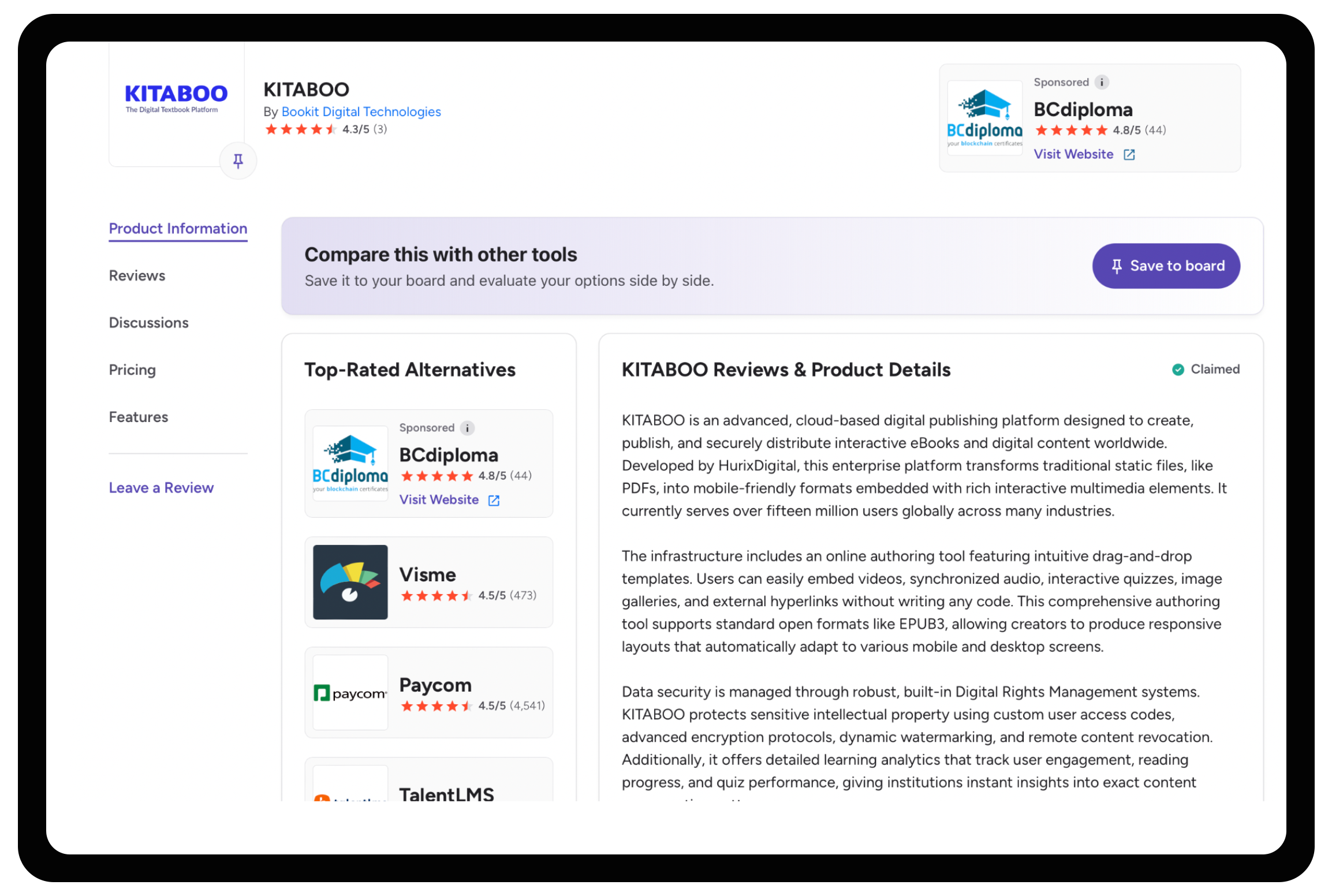 What actual users say: Reviewers on G2 and SelectHub consistently flag two things: it’s genuinely easy to convert and distribute existing print or PDF materials across devices, and support is responsive during setup. The recurring complaint is cost, with one Capterra-style reviewer describing it as “a bit on the pricy side but overall a great product for larger companies.” A separate aggregated review noted occasional technical glitches and unclear instructions around eBook formatting and menu navigation, worth asking about directly in a demo rather than assuming it’s been fixed by the time you evaluate it.
The tradeoff is scope: adopting KITABOO generally means adopting its publishing workflow, not just its DRM layer. For a publisher with an established production pipeline who only needs a protection layer at the end of it, that’s more platform than the problem requires.
Best for: Education, training, and association publishers building a digital catalog from scratch, or replacing a fragmented set of point tools with one managed pipeline.
2. VitalSource Bookshelf
VitalSource isn’t a DRM vendor a publisher evaluates and installs; it’s a courseware distribution network that publishers plug their catalog into, with DRM as a licensing condition of participation. Bookshelf enforces publisher-set limits on copying and printing (commonly around 10% of a title), controls offline access through native desktop and mobile apps, and integrates directly with campus learning management systems through LTI, so students get day-one access without a separate purchase flow.
Its real value for a textbook or courseware publisher is reach, not protection strength: VitalSource’s network touches the large majority of U.S. higher-education institutions and works with thousands of publisher partners, which matters more for course-adoption revenue than any specific encryption detail does. The tradeoff is that a publisher gets VitalSource’s DRM terms, not a customizable policy; you’re joining an existing distribution and protection framework rather than configuring your own.
Best for: Higher-education textbook and courseware publishers whose priority is getting content into existing campus bookstore and LMS workflows, not standalone document protection for other use cases.
3. MagicBox
MagicBox targets K-12 publishers specifically, and its DRM controls reflect classroom realities rather than retail ones: separate access codes for teachers and students, device and user access limits, time-bound subscription access tied to the school year or course term, and compliance with education content standards like SCORM, LTI, Tin Can (xAPI), and QTI. Screen-grab, print, and copy restrictions are standard, but the differentiator is how tightly the access model maps to how schools actually license seats.
The tradeoff is specialization: MagicBox’s DRM logic is built around classroom licensing patterns, which makes it a weaker fit for trade publishing or B2B document distribution, where the access model looks nothing like a school roster.
Best for: K-12 publishers and curriculum providers who need DRM tightly coupled to classroom licensing and LMS delivery, not general-purpose document protection.
The hard DRM standards behind most retail and library ebooks
These two are the closest thing publishing has to DRM infrastructure: broadly adopted, deeply integrated into retail and library supply chains, and built around the same core mechanism (encrypt the file, gate the decryption key behind a license check).
4. Adobe Content Server (ADEPT)
Adobe’s DRM, delivered through Adobe Content Server on the publisher side and Adobe Digital Editions on the reader side, has been the de facto standard for EPUB and PDF protection since the mid-2000s. The file is encrypted, and a Reading System (an app or device) must retrieve a license tied to a specific Adobe ID and authorized device before it can decrypt and display the content.
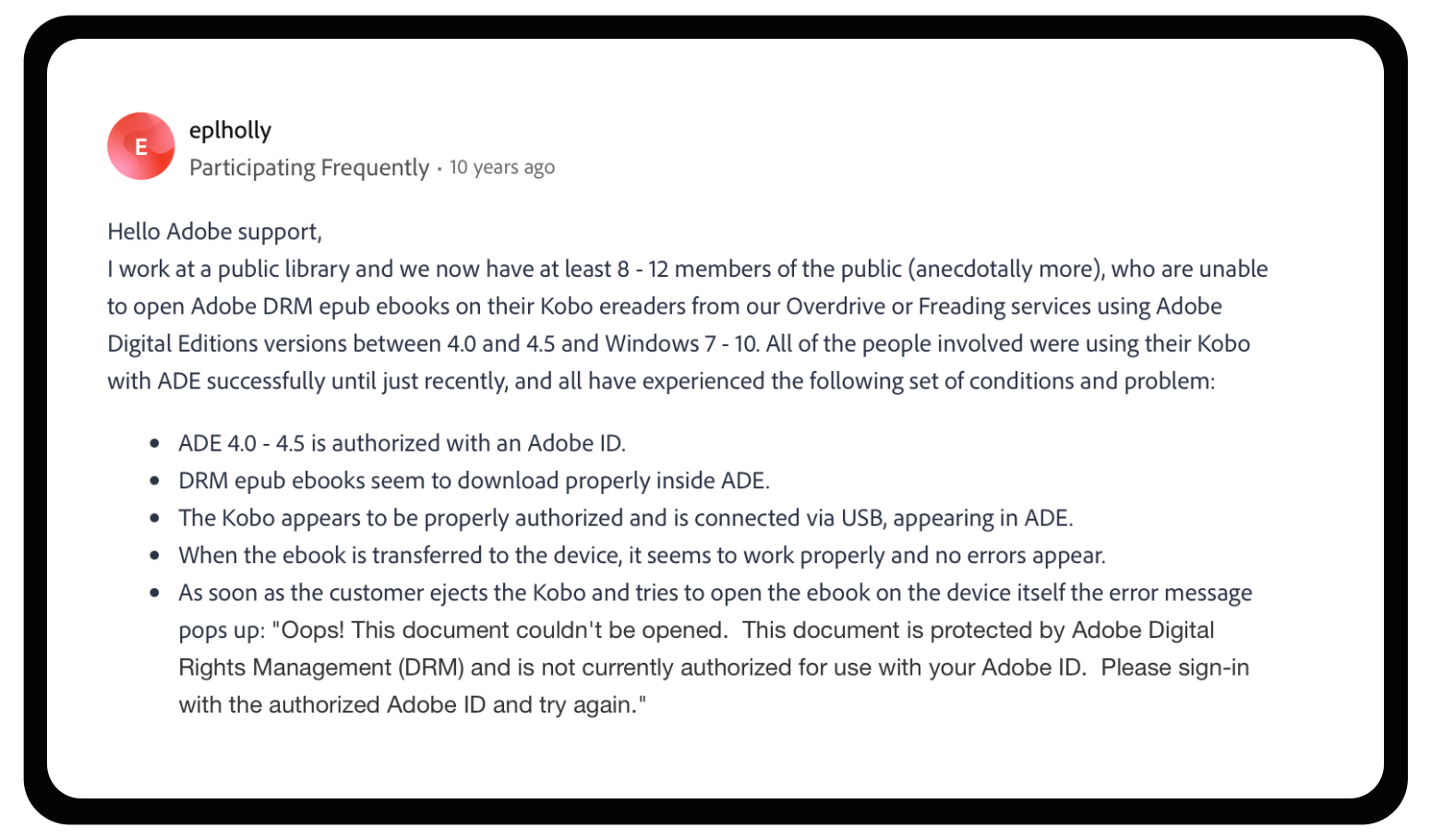
What actual users run into: The Adobe support community and library help forums have carried a recurring, years-long thread of patrons hitting “Oops! This document couldn’t be opened. This document is protected by Adobe Digital Rights Management (DRM) and is not currently authorized for use with your Adobe ID,” most commonly on Kobo devices after an Adobe Digital Editions update. Library staff report this affecting a steady trickle of patrons, and the standard fix (deauthorize, reinstall an older ADE version, reauthorize) is a workaround, not something Adobe or the library can resolve for the user directly. More recently, Adobe transferred operation of its entire ebook DRM platform to Wipro, and every reader who authorized with an Adobe ID has had to migrate to a new “ByteBooks ID” to keep reading previously purchased content, a real, current example of what happens to a DRM ecosystem when the underlying vendor relationship changes.
Its main strength is reach. Because so many library systems, retailers, and third-party reading apps were built to support it, Adobe DRM remains the path of least resistance if your distribution depends on library lending platforms or a wide mix of e-reader hardware. The tradeoff is that this reach comes from age, not from current security design. Independent researchers and DRM-removal tool developers have repeatedly demonstrated that Adobe’s key-hiding mechanism can be reverse-engineered, and later “hardened” versions haven’t closed that gap for good. Adobe DRM protects against casual copying more effectively than it protects against motivated piracy, and the authentication layer itself is clearly showing its age.
Best for: Publishers whose distribution already runs through Adobe-compatible retailers and library platforms, where switching costs on the retail side outweigh the protection gap.
5. Readium LCP (Licensed Content Protection)
Readium LCP was built by the publishing industry, for the publishing industry, through the nonprofit EDRLab, and it’s now formalized as ISO/IEC 23078-2:2024, the only DRM technology to reach ISO standard status. Architecturally, it works by encrypting a Content Key that unlocks the publication, then encrypting that Content Key again with a User Key derived from a passphrase the reader chooses. No third-party account creation is required, and because no user-tracking infrastructure sits behind the passphrase, LCP is explicitly designed for GDPR compliance.
The tradeoff for that openness is that LCP’s client-side protection depends on how well individual reading apps obfuscate their code, since the specification itself is public. It also cannot be implemented in a plain web browser; LCP requires a compiled reading application, because browsers can’t hide decryption secrets reliably. Cost is structured differently too: instead of per-transaction fees, license providers pay an annual certification fee, which tends to make LCP cheaper at scale than commercial alternatives.
Best for: Independent publishers, university presses, and library-lending platforms that want a modern, privacy-respecting standard without being locked into a single commercial vendor. It already supports EPUB, PDF, and audiobook formats.
DRM built specifically for PDFs and high-value documents
Publishers distributing standalone reports, manuals, or high-value documents (rather than retail ebooks) generally need something narrower and more aggressively locked down than an EPUB-oriented DRM.
6. LockLizard Safeguard PDF Security
LockLizard takes a deliberately different approach from password-based PDF protection, which it argues (correctly, from a security standpoint) is trivial to bypass because the decryption key travels inside the file itself. Instead, Safeguard encrypts PDFs into a proprietary .pdc format that can only be opened in LockLizard’s own secure viewer, which enforces print, copy, and screen-capture restrictions at the application level rather than relying on the PDF reader’s built-in permissions (which any PDF editor can strip).
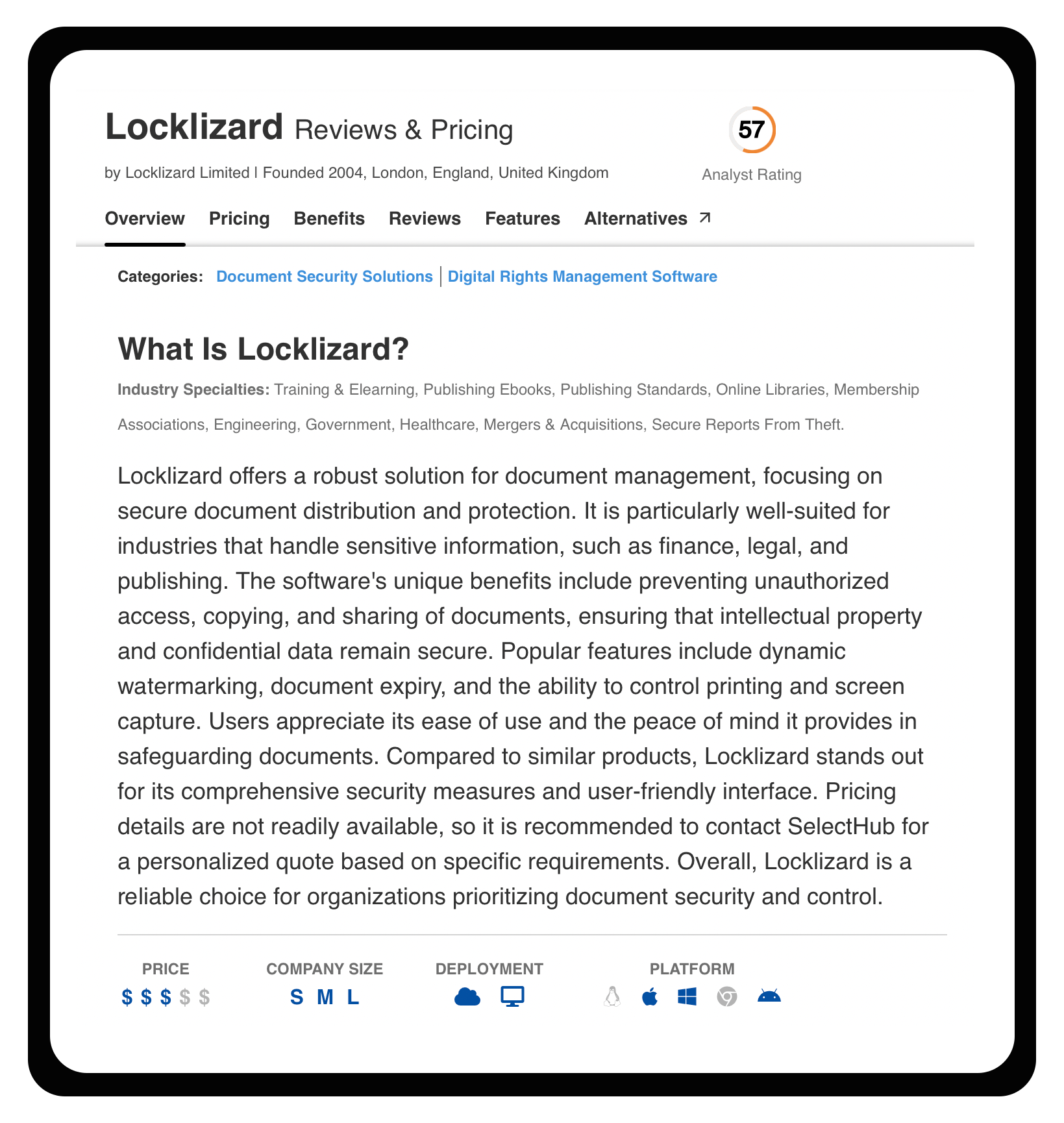
What actual users run into: Aggregated reviews describe the licensing system as cumbersome specifically around device switching, with some users reporting they lost easy access to previously secured documents after moving to a new machine. A more pointed complaint on Trustpilot came from a consumer who bought archived magazine issues on a LockLizard-protected USB stick and couldn’t read, print, or screenshot certain articles they’d already paid for, then couldn’t get a refund. That’s a single review and not representative of LockLizard’s core B2B customer base, but it’s a useful, concrete illustration of the real tradeoff this section already names: control this strict works well for institutional buyers who expect it, and creates real friction for a consumer who didn’t.
Dynamic watermarking is a genuine differentiator here: instead of a static overlay that can be cropped or edited out, watermarks are rendered at display and print time with variables like the viewer’s name and email, and because they’re enforced by the secure viewer rather than embedded as removable metadata, they survive screenshotting and photocopying attempts better than typical watermark tools. Documents can also be locked to specific devices or locations and support offline viewing once an initial license check has occurred.
The tradeoff is friction: users must install the Safeguard Viewer (or use a USB-based zero-install version), which is a heavier ask than a browser-based alternative, and mobile platform support is narrower than web-first competitors. This is a tool built for control, not for minimizing signup steps.
Best for: Publishers of high-value PDF content (technical manuals, market research, training materials) where document leakage has serious financial or IP consequences, and where the audience is B2B or institutional rather than consumer.
7. Vitrium Security
Vitrium takes the opposite friction tradeoff: everything happens in the browser, with no viewer app or plugin required. Uploaded documents, video, audio, or images are converted to a secure web format and protected with AES encryption (128-bit on some tiers, 256-bit on others), with print, copy, download, and screen-sharing controls applied per user or group.
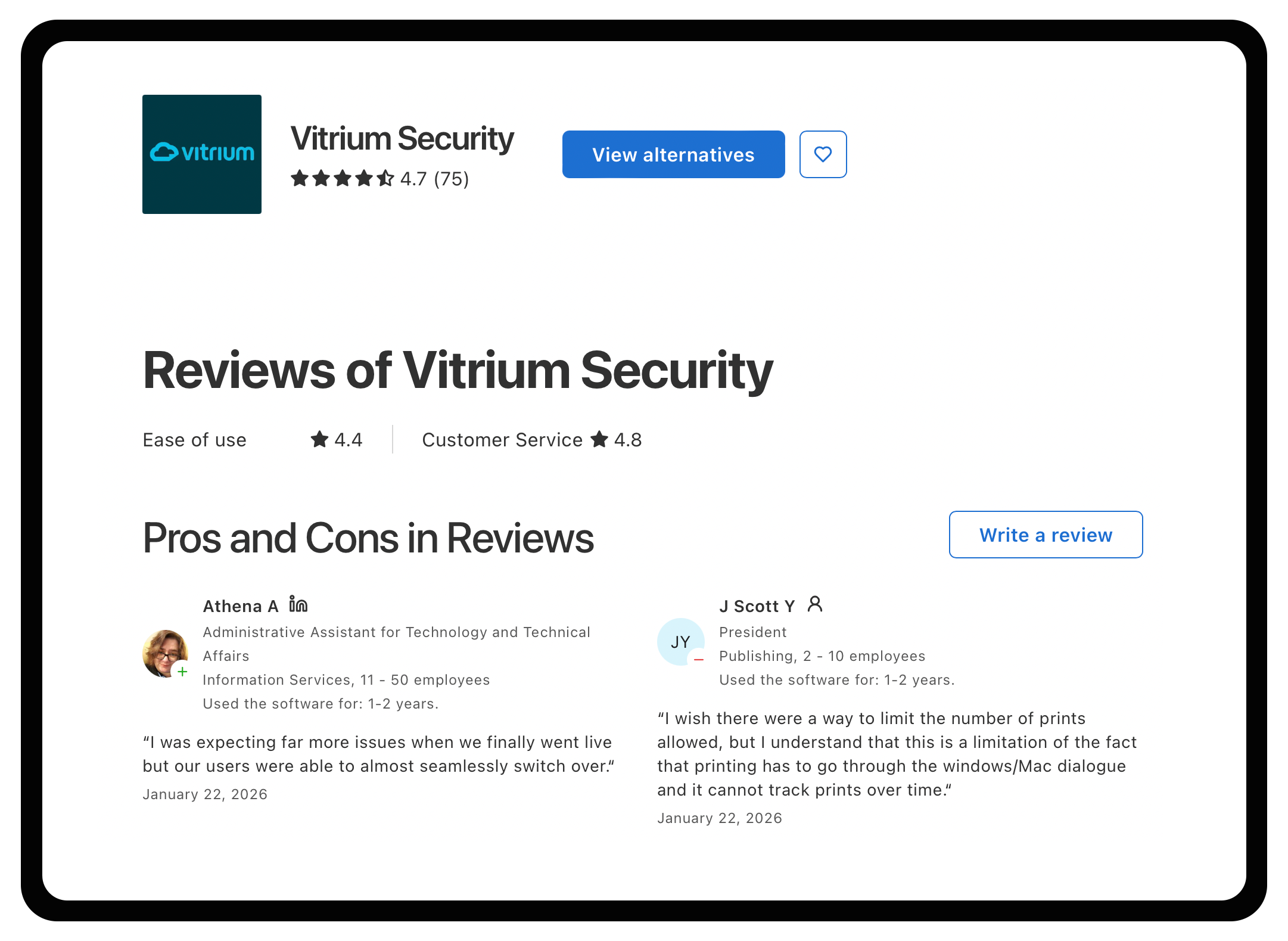
What actual users run into: The most specific, recurring complaint across Capterra reviews is that offline viewing doesn’t work on Apple iOS, which one reviewer called their biggest source of support tickets since a large share of their end users read on iPad or iPhone. Several reviewers separately describe the interface as dated, “like a file cabinet” rather than a modern platform, though Vitrium’s team has responded publicly to that feedback and pushed a redesigned web viewer in response. Worth confirming directly whether that update addressed the specific workflow you’d be running.
Where Vitrium differentiates is integration depth: it exposes REST APIs and pre-built connections to more than twenty third-party systems, including Shopify, Salesforce, Blackboard, Canvas, and Okta for single sign-on, which makes it a realistic fit for publishers who need DRM-protected content to plug into an existing CRM, LMS, or e-commerce stack rather than operate as an island. Offline access is supported for documents, audio, and images, though not for video, because Vitrium’s browser-based delivery model relies on the browser’s memory, which can’t reliably cache video content offline.
Best for: Publishers and content distributors who need one DRM layer across mixed formats (documents, video, images) and who already run other business systems that need to talk to it directly.
Watermarking instead of encryption
8. Social DRM / forensic watermarking
Rather than a single vendor, this is an approach implemented by several ebook fulfillment services (EditionGuard’s EditionMark is one common example) and increasingly offered as an option by retailers themselves. The mechanism is simple: at the point of sale, the platform stamps the file with the purchaser’s identifying details, invisibly or as a visible watermark, without touching the file’s encryption status. The resulting EPUB or PDF opens in any standard reader app, with no account creation, device authorization, or install step.
This is worth calling out because Amazon itself moved toward this model in early 2026: KDP now lets publishers choose not to apply DRM and instead allow verified purchasers to download EPUB and PDF files directly, a setting that can be toggled per title. That’s a meaningful signal that even the largest retail DRM ecosystem is treating social DRM and DRM-free distribution as a legitimate option rather than a fallback.
The honest tradeoff: social DRM deters casual sharing (a reader who sees their own name and email in a file thinks twice about posting it publicly) but does nothing against someone determined to strip the watermark, which is achievable with moderate technical skill once the embedding method is known.
Best for: Direct-to-consumer sellers with an existing relationship to their buyers, where the goal is discouraging casual redistribution rather than defeating organized piracy, and where minimizing reader friction is a higher priority than maximum enforcement.
DRM you don’t choose: what comes bundled with Amazon and Apple
Two DRM systems belong in this list not because a publisher selects them from a vendor comparison, but because using certain sales channels means accepting them as a condition of distribution.
9. Apple FairPlay
FairPlay is Apple’s proprietary hard DRM, used to protect content sold through Apple Books. It ties content to an Apple ID and authorized device, similar in principle to Adobe’s model, but implemented and controlled entirely by Apple with no publisher-side configuration options. A publisher distributing through Apple Books isn’t evaluating FairPlay against alternatives; they’re accepting it as a fixed cost of reaching that channel.
Best for: Not a comparison decision. Relevant only as a constraint to plan around if Apple Books is part of your distribution mix, and a reason to keep a channel-agnostic option (like Readium LCP or social DRM) available for direct sales.
10. Amazon Kindle DRM
The same logic applies to Kindle. Amazon’s DRM wraps purchased content in a proprietary format tied to Kindle apps and devices, and it remains the largest single retail eBook channel by volume, which is the real reason publishers accept its terms. What changed meaningfully in January 2026 is optionality: publishers can now allow verified purchasers to download DRM-free EPUB and PDF copies of a title on a per-book basis, while retaining DRM on others. That turns what used to be an all-or-nothing channel decision into a title-by-title one.
Best for: Not a standalone evaluation either. The practical decision for publishers now is whether to keep Kindle DRM on by default or use the new opt-out selectively for backlist or lower-piracy-risk titles.
When your catalog includes video
11. Intertrust ExpressPlay (Marlin, Widevine, FairPlay Streaming, PlayReady under one service)
Publishers whose catalog includes enhanced eBooks, embedded training video, or multimedia supplements run into a problem text-only publishers never face: video DRM is fragmented across competing, device-specific standards. Google requires Widevine on Android and Chrome, Apple requires FairPlay Streaming on its devices, and Microsoft requires PlayReady on its ecosystem. Multi-DRM services solve this by wrapping all of them, often alongside the open Marlin standard, behind a single encryption and key-management API, so a publisher encrypts content once and the service handles per-device licensing.
Intertrust’s ExpressPlay is a representative example: it layers Marlin (an open, vendor-neutral standard originally built by Intertrust, Panasonic, Philips, Samsung, and Sony) alongside Widevine, FairPlay Streaming, and PlayReady, with offline playback SDKs for mobile apps and cloud-based key management. This is infrastructure built for pay-TV and OTT video scale, which means it’s substantial overhead for a publisher whose video content is a minor supplement to text.
Best for: Publishers with a meaningful video or multimedia component (training content, journal supplementary video, enhanced multimedia titles) who need cross-device playback protection without integrating four separate DRM systems individually. Overkill for text-only catalogs.
What actually separates similar-looking tools
Once you’ve narrowed the list to two or three candidates in the same category, the remaining decision usually comes down to three tradeoffs that don’t show up clearly on a feature comparison.
Security strength versus reader friction. LockLizard’s installed viewer and device-locking give it stronger enforcement than Vitrium’s browser-based model, but that strength is paid for in setup steps, and the Trustpilot complaint above is what that tradeoff looks like when it goes wrong for an end user. If your audience is corporate or institutional and expects some access friction, the tradeoff favors LockLizard. If your audience is consumer-facing and abandons purchases at the first extra step, it favors a browser-native or social DRM approach instead.
Owned infrastructure versus platform dependency. Readium LCP and Vitrium let a publisher keep its own distribution and pricing infrastructure while adding a protection layer. KITABOO, VitalSource, and MagicBox ask a publisher to route distribution through their platform. The former gives more long-term control and easier migration if you switch vendors later; the latter gets you to market faster but ties your catalog’s accessibility to that vendor’s continued operation and terms, which is exactly the risk Adobe’s Wipro handoff illustrates.
Enforcement-grade protection versus deterrence-grade protection, matched to actual risk. This is where publishers most often overspend or underspend. A backlist of low-priced trade fiction rarely justifies LockLizard-level enforcement; the piracy risk per unit is low and the friction cost to legitimate buyers is high relative to what’s being protected. A $3,000 market research report or a proprietary training curriculum justifies it easily. Matching protection level to content value, rather than defaulting to “the strongest DRM available,” is usually the higher-leverage decision than which specific vendor you pick within a category.
Cost, in this context, is better measured as pipeline and operational cost than sticker price: the ongoing burden of license-server maintenance, support tickets from locked-out legitimate readers, and the cost of re-encrypting a catalog if you switch vendors later, rather than the monthly subscription fee alone.
Conclusion
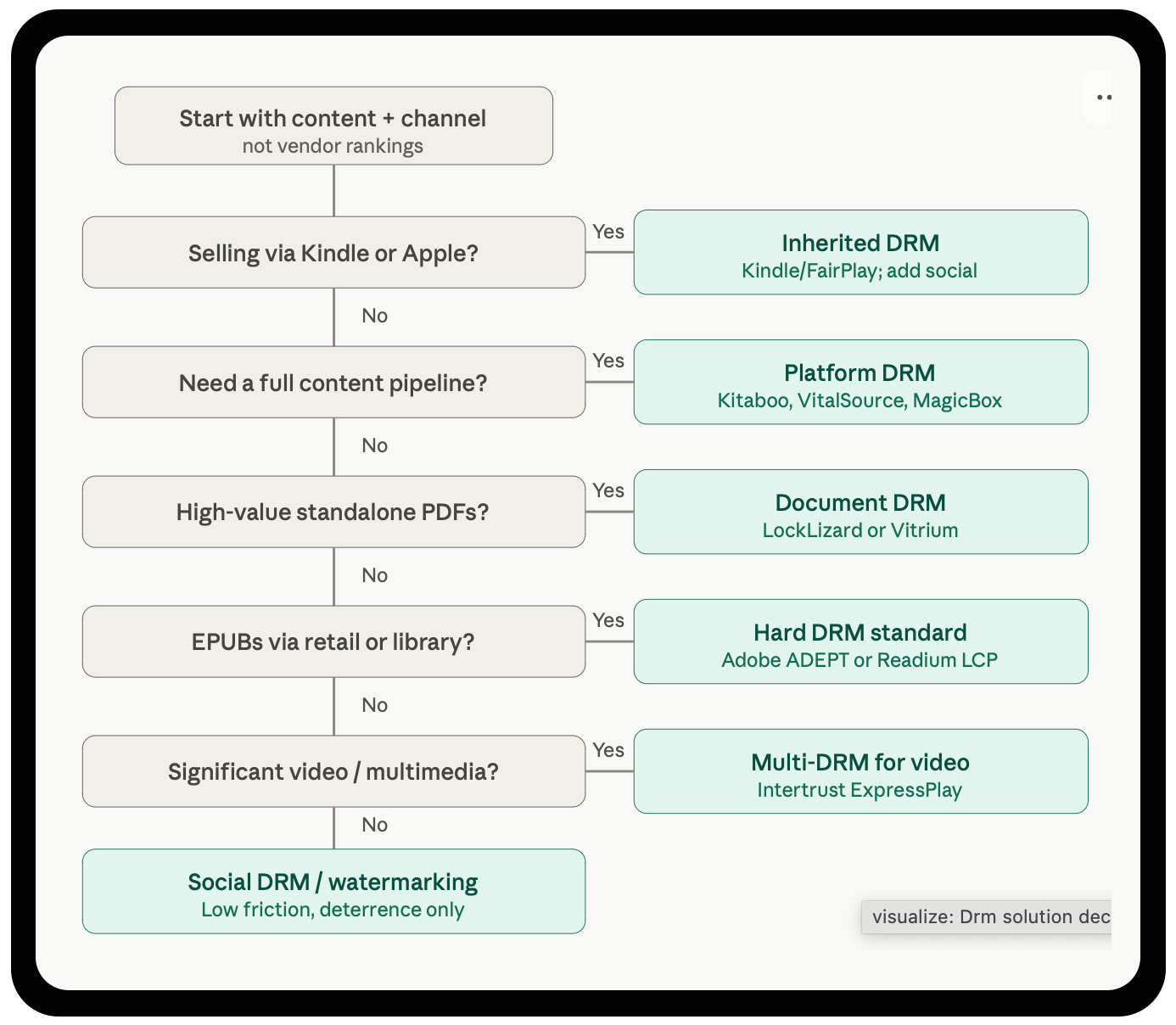
Start with the content and the channel, not the vendor rankings, and the right category narrows itself down before you’ve read a single pricing page.
For one specific situation in that framework, the choice tends to resolve faster than the others. Publishers whose actual problem isn’t “how do I encrypt a file” but “how do I take a fragmented catalog (PDFs from one workflow, EPUBs from another, video from a third) and get it into a single protected, distributable pipeline with a branded reader and LMS integration already built in” are choosing a platform, not a point tool. That’s the category KITABOO sits in: encryption, access-code licensing, offline reading, and LTI-based LMS delivery bundled into one system rather than assembled from separate vendors. Adopting KITABOO means adopting its pipeline, not bolting DRM onto an existing one, so it’s the stronger fit for education, training, and association publishers building or replacing a workflow, and a weaker fit for a publisher who already has production and distribution solved and just needs a protection layer added to it.
Secure your content with KITABOO’s DRM get started today
FAQs
Discover how a mobile-first training platform can help your organization.
KITABOO is a cloud-based platform to create, deliver & track mobile-first interactive training content.